Serverless Webhooks using AWS Lambda - Part 1
PoC of a Lambda function as a webhook to ingest data
In this post, we will setup a service to receive data from an external system.
One approach to receive data is through a webhook endpoint where the external system can trigger and post data to that endpoint. Before serverless architecture we typically would need a server to host this webhook endpoint. As more external systems connect to you with different sets of data, you would need to host more endpoints and that means more servers.
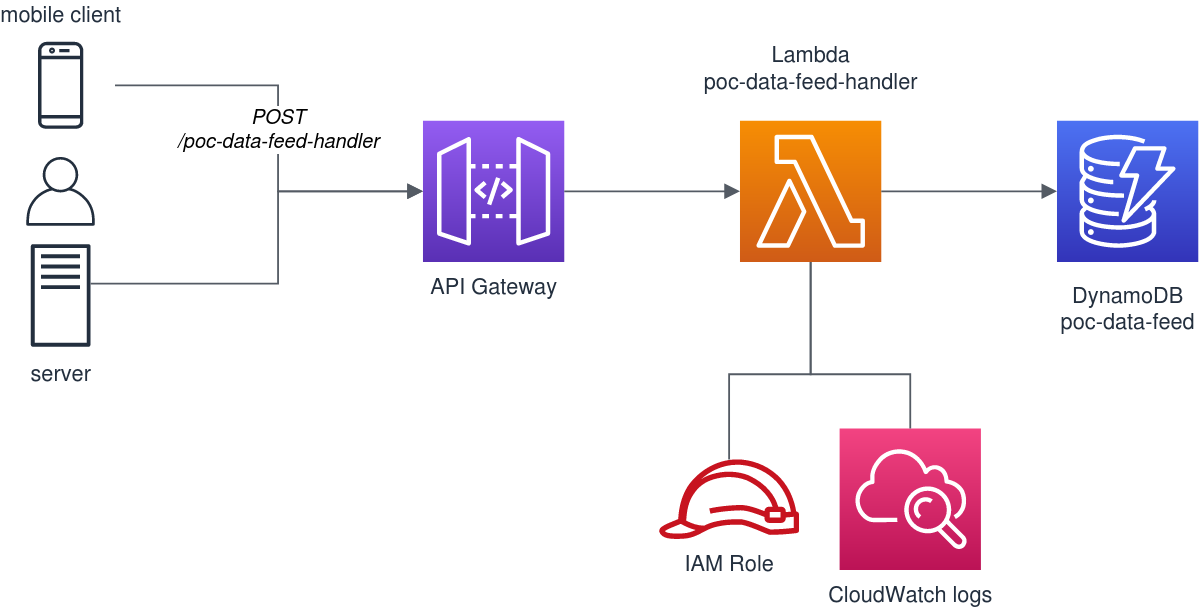
Luckily, through serverless architecture, we can define each webhook as a function and this function will only run when data is available. In AWS, we can design it using a Lambda function with an API Gateway in front and a DynamoDB at the backend to persist the data.
Architecture
The design is pretty straightforward. The key component is the Lambda function poc-data-feed-handler. This function will receive the data in json format and stores them in the DynamoDB table poc-data-feed.
Create your Lambda
In AWS Lambda designer, setup your Lambda such that it has the following components:
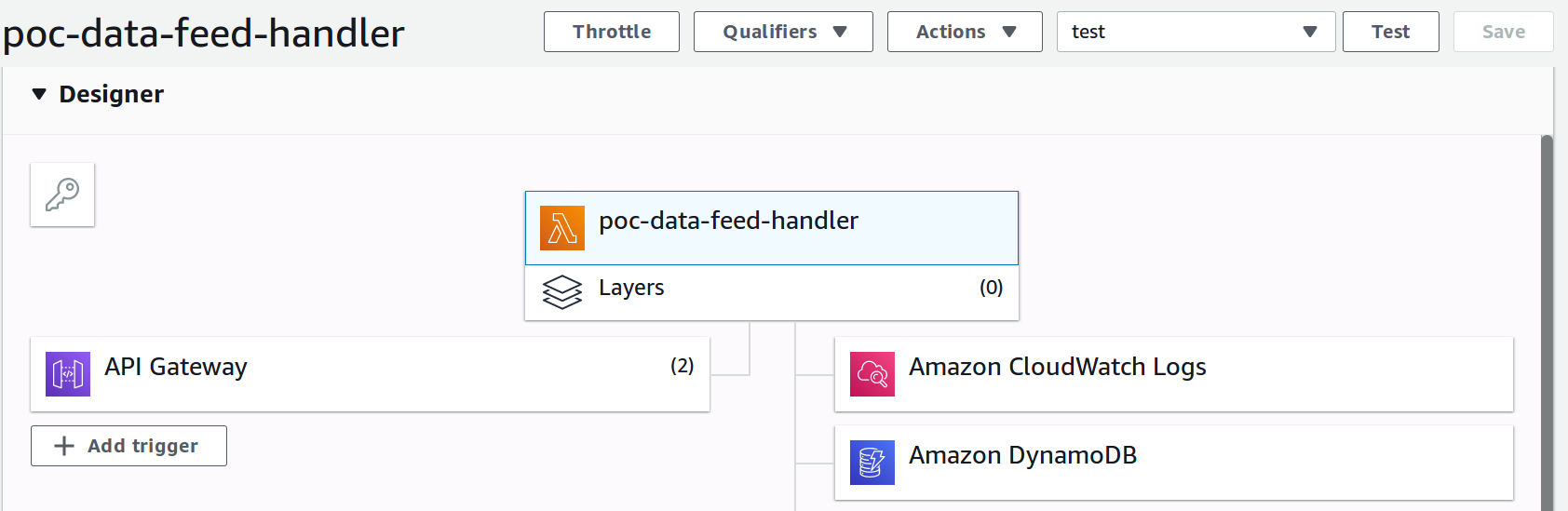
The role assigned to your Lambda is important to see the other services it can interact with. Ensure that you have AWSLambdaBasicExecutionRole which has the CloudWatch logs basic write access policy. Then for DynamoDB, you can attach an inline policy to the table where we will store the data.
Here’s a sample inline policy to allow DynamoDB access.
1
2
3
4
5
6
7
8
9
10
11
12
13
14
15
16
17
18
19
20
21
22
23
24
25
26
27
28
29
30
31
32
33
34
35
36
37
38
39
40
{
    "Version": "2012-10-17",
    "Statement": [
        {
            "Sid": "ReadWriteTable",
            "Effect": "Allow",
            "Action": [
                "dynamodb:BatchGetItem",
                "dynamodb:GetItem",
                "dynamodb:Query",
                "dynamodb:Scan",
                "dynamodb:BatchWriteItem",
                "dynamodb:PutItem",
                "dynamodb:UpdateItem"
            ],
            "Resource": "arn:aws:dynamodb:yourregion:youraccount:table/poc_data_feed"
        },
        {
            "Sid": "GetStreamRecords",
            "Effect": "Allow",
            "Action": "dynamodb:GetRecords",
            "Resource": "arn:aws:dynamodb:yourregion:youraccount:table/poc_data_feed/stream/* "
        },
        {
            "Sid": "WriteLogStreamsAndGroups",
            "Effect": "Allow",
            "Action": [
                "logs:CreateLogStream",
                "logs:PutLogEvents"
            ],
            "Resource": "*"
        },
        {
            "Sid": "CreateLogGroup",
            "Effect": "Allow",
            "Action": "logs:CreateLogGroup",
            "Resource": "*"
        }
    ]
}
Take note to update the DynamoDB table ARN in the policy.
Then in the Lambda code, write the handler function to accept the data and store in the database. In this example, I used Python as the runtime environment.
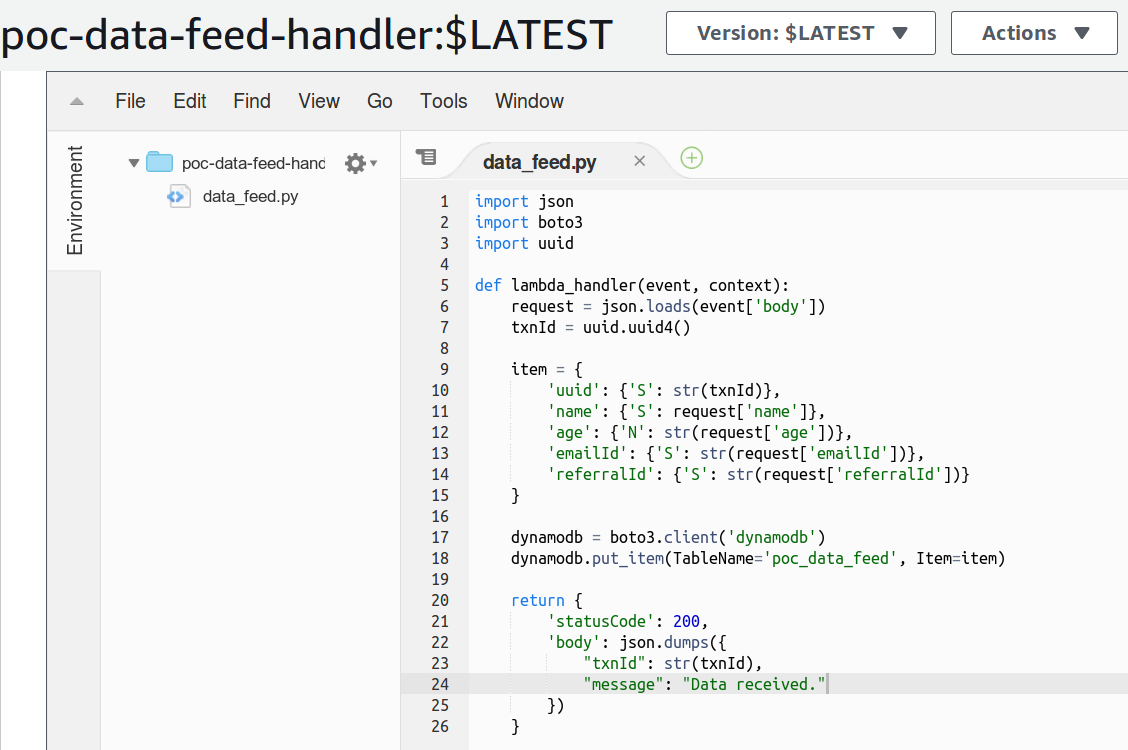
As an example, let’s say the external system is a registration system that will trigger our Lambda webhook with registration data for new user sign-ups. We will receive a data payload that contains name, age, emailId and referralId.
1
2
3
4
5
6
{
    "name": "Vin",
    "age": 22,
    "emailId": "vin@example.com",
    "referralId": "elend16"
}
The function will generate a uuid as a transaction reference and insert the data into DynamoDB using the boto client.
Create the DynamoDB table
Create the poc-data-feed table in DynamoDB. Use the uuid attribute as the partition key.
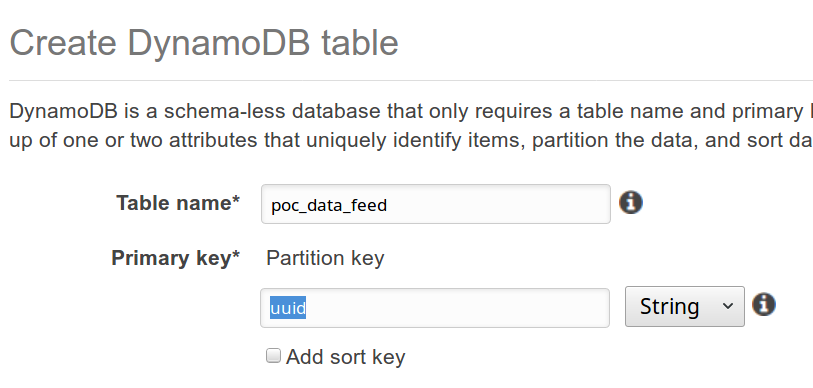
Get the ARN of this table and update the policy for DynamoDB mentioned above.
Setup the API Gateway
Add the API Gateway as a trigger if it hasn’t been added yet. Change the HTTP method to POST since we will be posting data to this webhook.
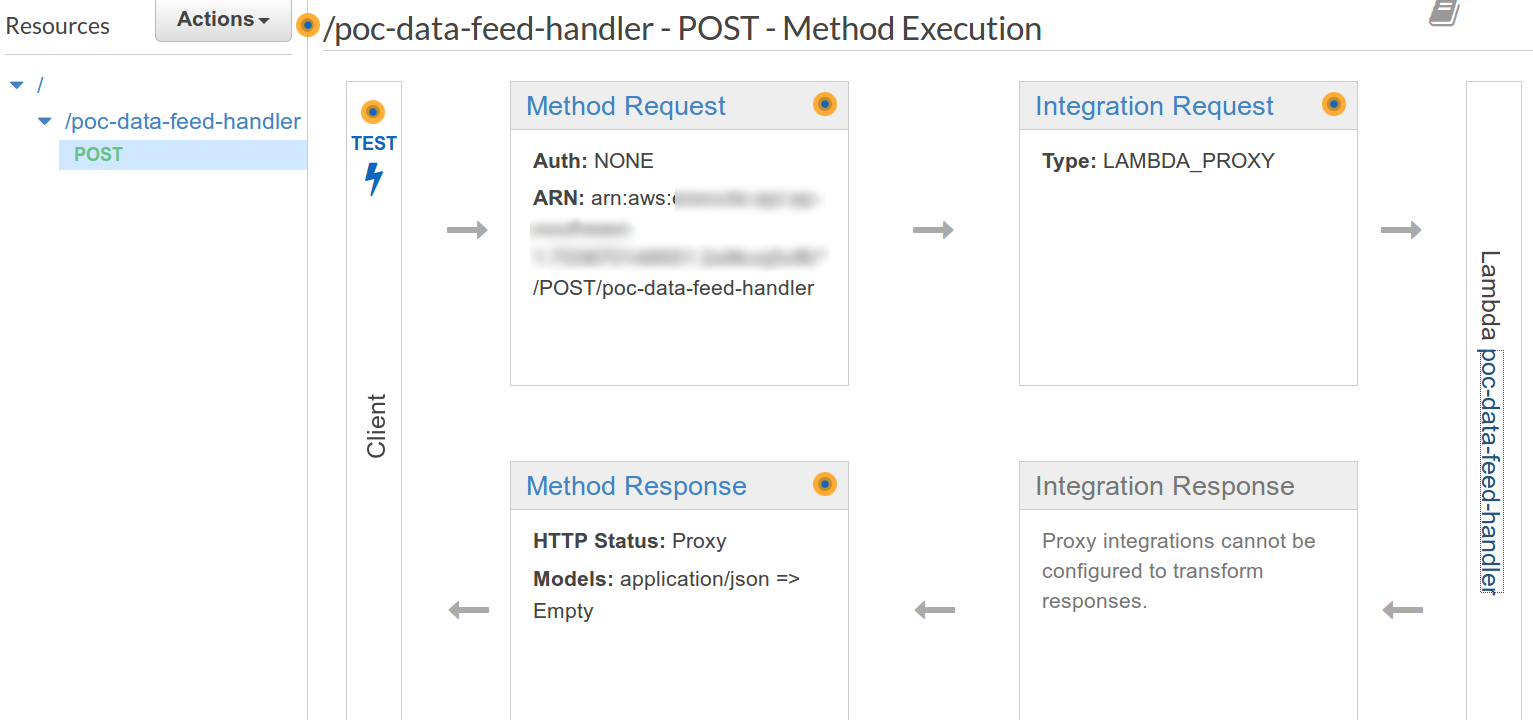
Make sure that this API endpoint points to the target Lambda poc-data-feed-handler we just created. Then take note of the endpoint’s url for testing. You can get this in the Stages section of the gateway.
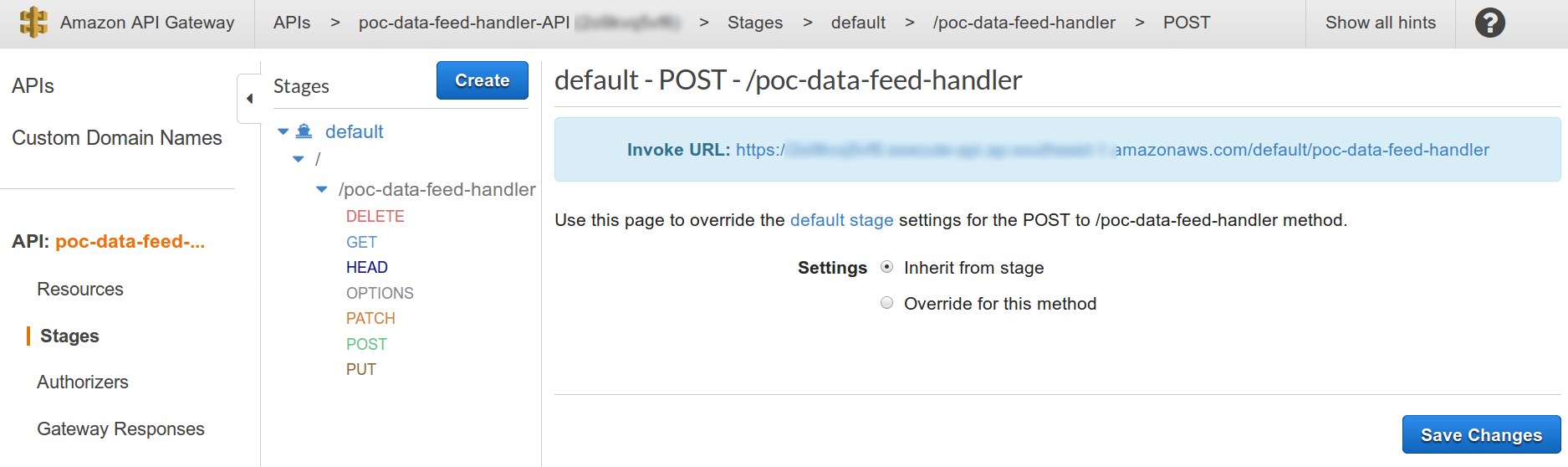
Test the webhook setup
Now that the webhook setup is complete from API Gateway to Lambda to DynamoDB, we can fire some payload requests with sample data and see that it gets stored in the DynamoDB table.
Here’s the sample using postman to trigger the API with test data.
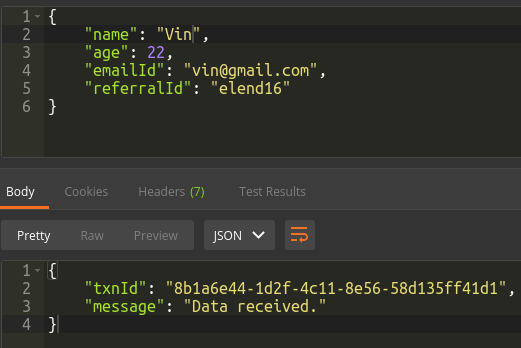
Here’s the data inserted in DynamoDB.

And that’s it! You can now setup as many Lambda webhooks as you want to receive different types of data, process them and store in DynamoDB.
In my next post, we will look at expanding this solution to cater to data processing that would require longer times to run or passing the data to an existing containerized application.
Comments powered by Disqus.